Please note the fix below will make your computer less secure as we are force enabling TLS
1.1 on your machine. TLS 1.1 is a deprecated end of life security protocol (MORE INFO FROM MICROSOFT).
Legacy Outlook Login Issue Fix (TLS 1.1)
APPLY THE FIX ONLY IF YOU ARE HAVING ISSUES LOGGING INTO OUTLOOK ON OFFICE 2007.
How To Apply The Fix:
1. Close Outlook if it is already open.
3. Double click on the file you just downloaded to run it.

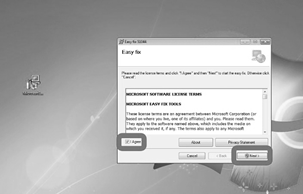
4. Make sure you have ticked on "I Agree" then click on "Next".
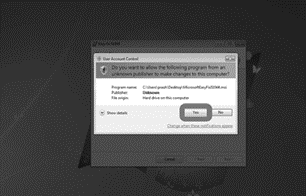
5. Click "Yes" on the UAC window if it appears.
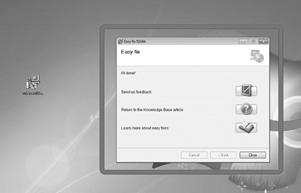
6. If the installation is successful, you will get the "All Done" window below. You should now be able to access the server on your legacy Outlook app (If you are still unable to access Outlook, please restart the computer after installing the fix).